Connect the agent to Telegram
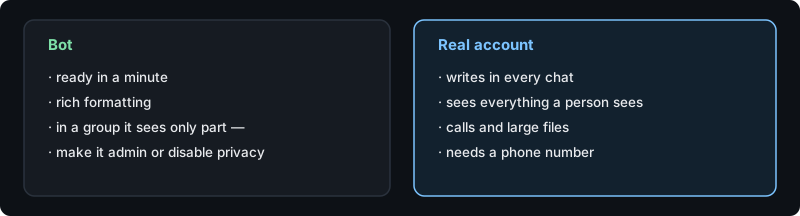
An agent can live in Telegram either as a bot or as a normal user account. The choice decides what it will and will not see.
Bot or user account?
A bot is fast to create and renders rich formatting. But Telegram hides other people's group messages from bots unless privacy mode is off or the bot is an admin — that single fact explains most "it does not see my messages" reports.
A user account behaves like a person: it sees everything in the chats it belongs to, can be added anywhere without admin rights, can take part in calls and send large files. It needs a phone number and a login code.
The agent is in the group but silent
Check in this order: is it a bot without admin rights (then it does not see the messages at all), is the chat set to answer only when addressed, and is the topic muted if this is a forum-style group. Replying directly to one of its messages bypasses all three.
Forum groups with topics
In a forum group every topic is a separate conversation with its own context. The agent answers in the topic where it was addressed, and can be told to behave differently per topic.
How do I ask for it?
Tell the agent: "connect yourself to Telegram as a bot" or "as a user account". It does the whole procedure itself, including collecting the token or the login code over a secure page — never in the chat.